Rebuilding Sensible World of Soccer

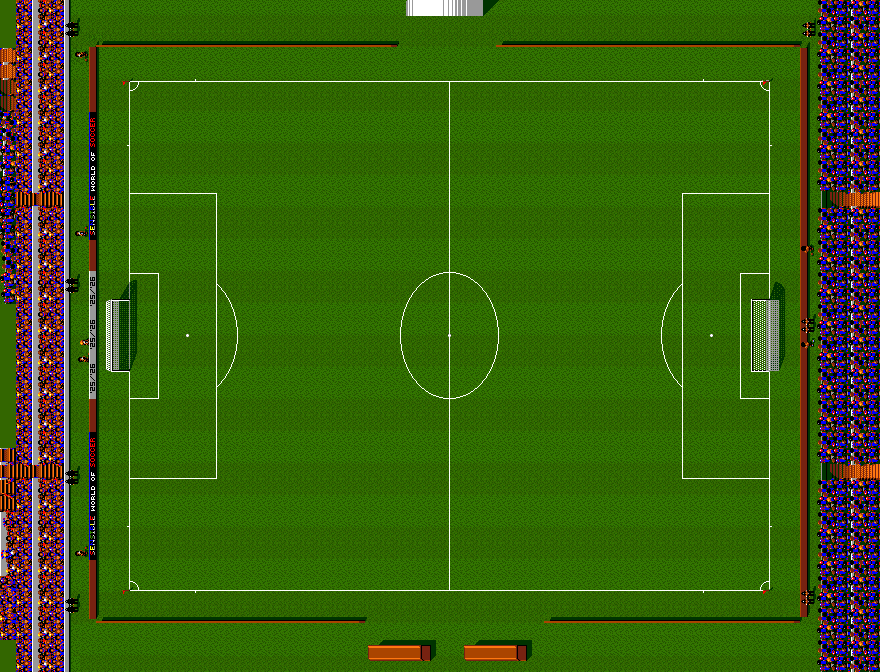
I used to play football games on home computers a lot. Match Day II, Emlyn Hughes International Soccer, John Barnes European Football, MicroProse Soccer and then a lot of Kick Off 2.
But then Sensible Soccer came out and that was it, I never played the others ever again. Then Sensible World of Soccer came out and it was frankly a wonder that it only came on two disks and worked on an Amiga - how do you get that many teams and countries in one game?
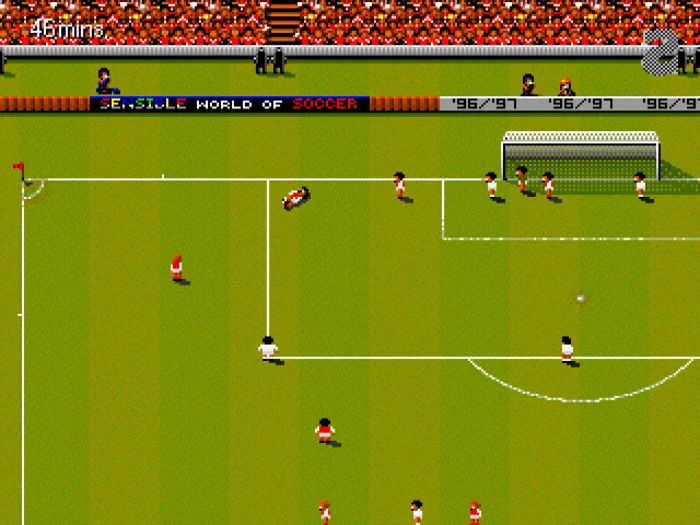
I played it on the Amiga, I played it on the Xbox 360 and I've played it on emulators on different Chinese handhelds and the Steam Deck. EA's FIFA or EA FC has just never been my thing, too many buttons, too much uncanny valley.
And then I wondered what it would be like if it was modernised. The team over at https://sensiblesoccer.de/ has done a great job keeping teams and players up to date in the original Amiga version and PC 2020 version, but I wanted to go further. Could AI help me take the game I loved as a child and bring it into 2026, in a way that 13-year old me would have found amazing?
So this is Bob's World of Soccer.
This video uses no assets from the original game at all. The code, sound and art are all new and original.
Code
The code is 100% Swift, with SpriteKit, so it runs on Mac or iOS/iPad. The ball physics and player control are identical to what they were in the Amiga '96/'97 edition (at least, they should be), but it's all been ported to Swift data structures and modern approaches to memory and storage. This isn't an emulator, it's an accurate reproduction where I wanted the code to be readable - that meant making sure everything has nice function and variable names, with comments explaining what it all does.
/// Per-team aftertouch latch: a negative timer disables updates; left/right and
/// boost choices persist once selected during a kick window.
public struct State: Equatable, Sendable {
    public var timer: Int16 = -1
    public var kickDirection = 0
    public var passing = false
    public fileprivate(set) var left = false
    public fileprivate(set) var right = false
    public fileprivate(set) var passBoost = false
    public fileprivate(set) var backPassBoost = false
    public init() {}
}
Initially I used a /goal in Codex with Astra on low-reasoning mode that went on for about 3 days and used a week's worth of token usage multiple times (thank goodness for their generous free reset policy) but this only got me so far. I could play a friendly by the end of that, but it got really stuck translating how the career mode worked. I recommend Astra in low reasoning mode if you haven't tried it, it's a lot of power for a much lower token cost than you'd expect.
But since I'd run out of resets I switched to cheaper models. I threw Luna, Terra and Sol at it for varying amounts of time and I would get a little further, but it still seemed like it was just taking too long.
So I switched my model to Opus 5.5 and my approach to manual pointing it at different parts of the game that still didn't work. Effectively I took over as the person deciding what it should look at, rather than leaving it to the model. This meant:
- Things started to move much quicker, but I had to be much more involved
- It found lots of code added by the smaller models that was unused, buggy, or half-complete
- There was light at the end of the tunnel
Eventually I reached this. This is the original assets, but running natively in Swift. At this point all I've also updated some of the teams to 2025 squads from the SWOS 2020 data.
It works!
By this stage, I've definitely proved that this is possible.
And then this is where the fun begins, because now I can take the game I loved so much as a child and make it into whatever I want. This is what AI tools allow me to do. It's not about putting Mario into Elden Ring, although I'm sure that was worth a giggle from whomever did it first, it's about using my own creativity and my own imagination to make something new. Sorry, I'm one of those people who thinks that AI can unlock creativity, not just destroy it.
Graphics
I decided the goal was to remake everything in HD and not use any of the original assets. So that started with the player. I can't 3D model, but Claude can.
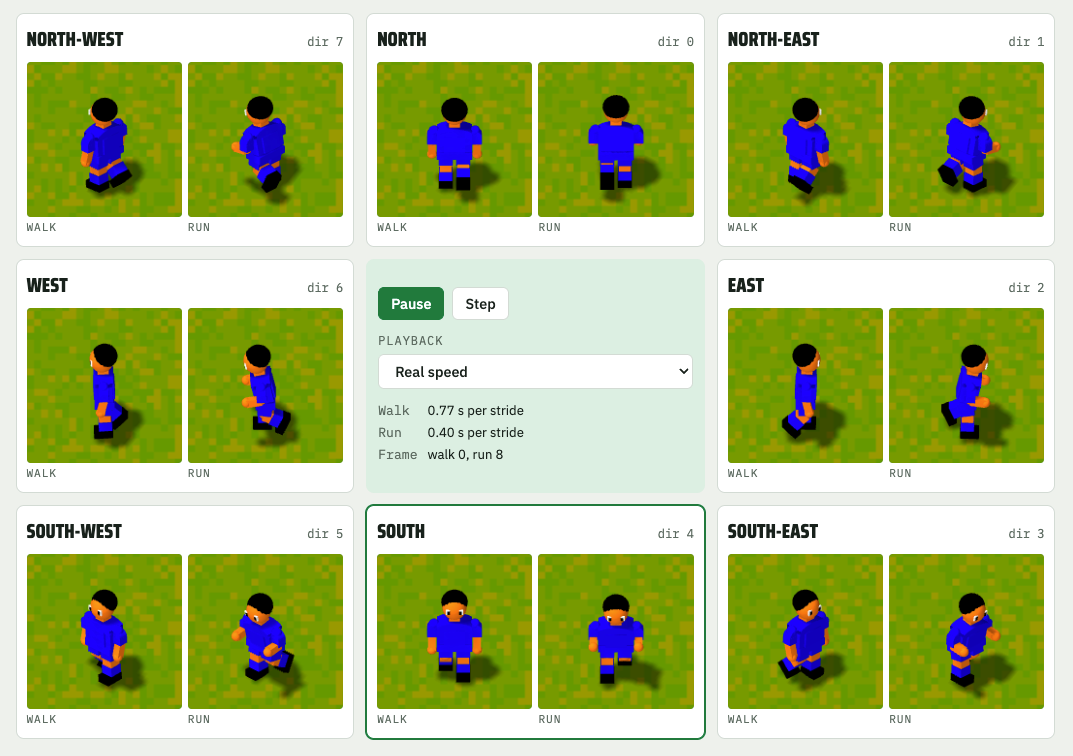
This is probably iteration number 60. There was probably another 30 after I took this screenshot before we reached what's in the game now. This is often what people misunderstand about AI if they haven't done it, yes Claude can create a 3D model, but that doesn't mean it can design it very well. It's almost a given that it can't. So there's a lot of "make the neck shorter", "the shoulders are too large", "why are his feet so square?" until you get to something that works. I'm still making creative decisions at every step.
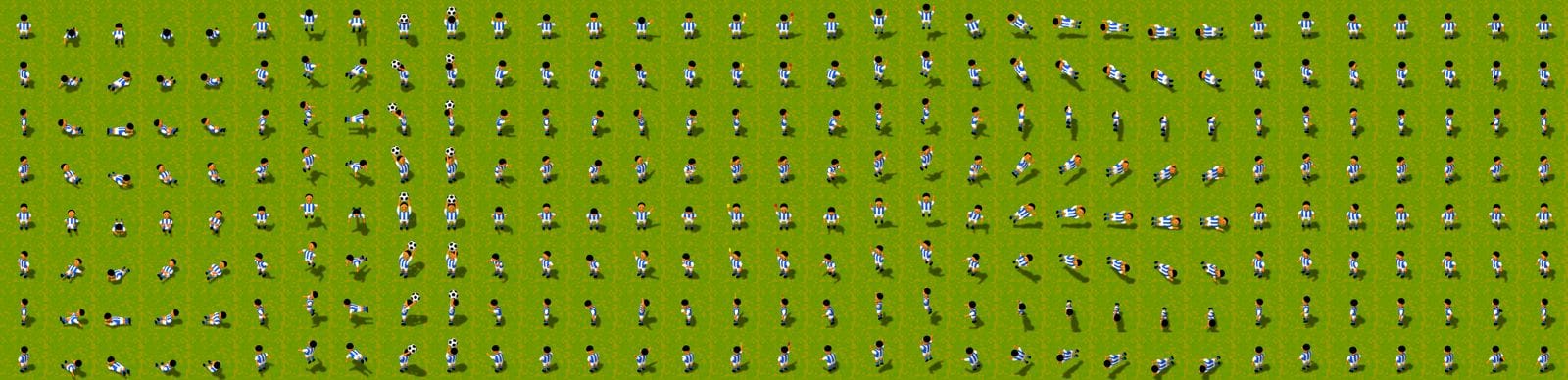
Initially I had it render all the 3D models as sprites with the plan that the game would still be 2D underneath but it wasn't long before I switched to a full 3D renderer. I knew that it would come in handy later.
The code splits the game simulation from the renderer so you can play both the updated 3D version or the classic 2D version and they'll both be identical in terms of how things move, because neither of them decides that. It also meant that in the early versions I could still render a sprite if there was no 3D version of it yet.
This is one of the early versions where the crowd is now 3D and so are the players, but we're still playing on the original pitch. The camera was positioned to make sure that the centre circle was identical in width and height in both versions.
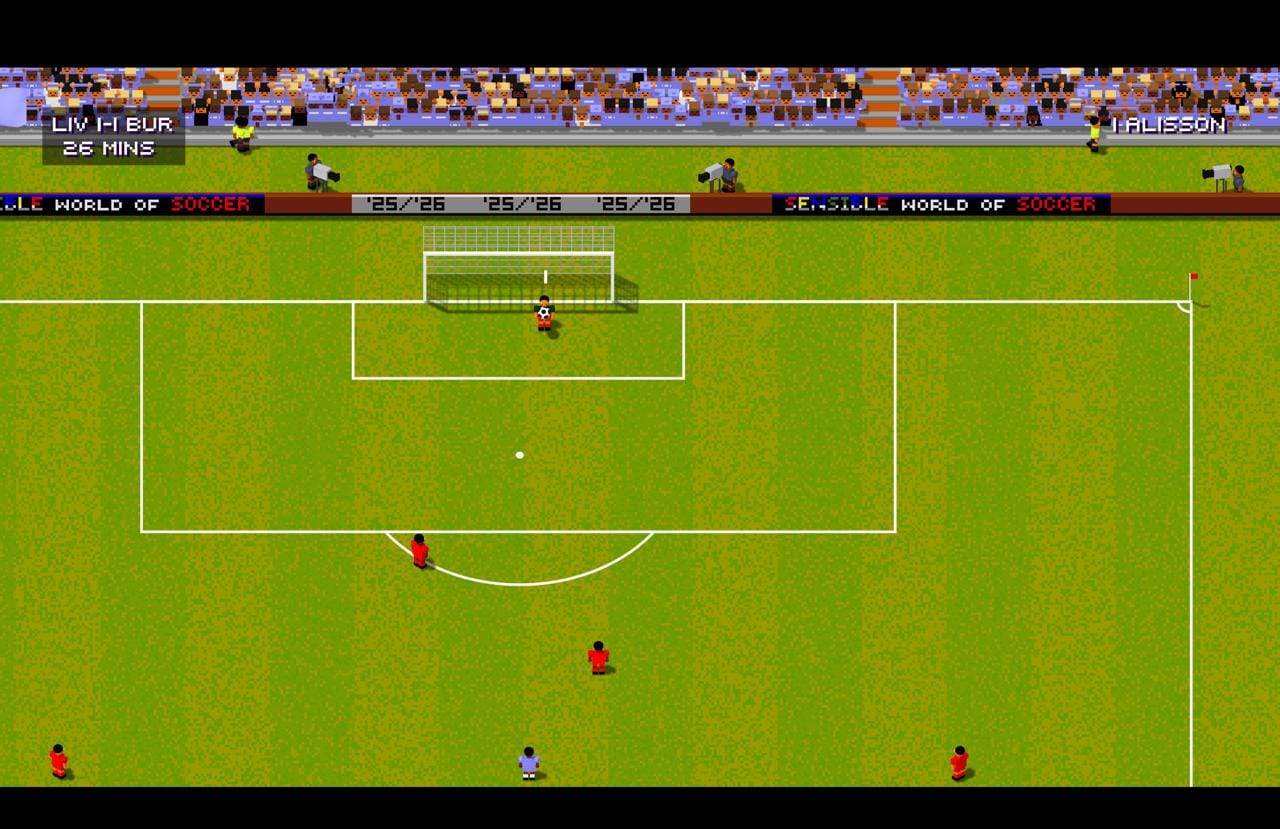
Getting everything to look correct does require a bit of a cheat because if you just rendered everything in actual 3D space and put the camera at the right height then none of the players would look like you expect. You'd see the top of the heads of those players directly below the camera, and either the front or back of others depending on where they were.
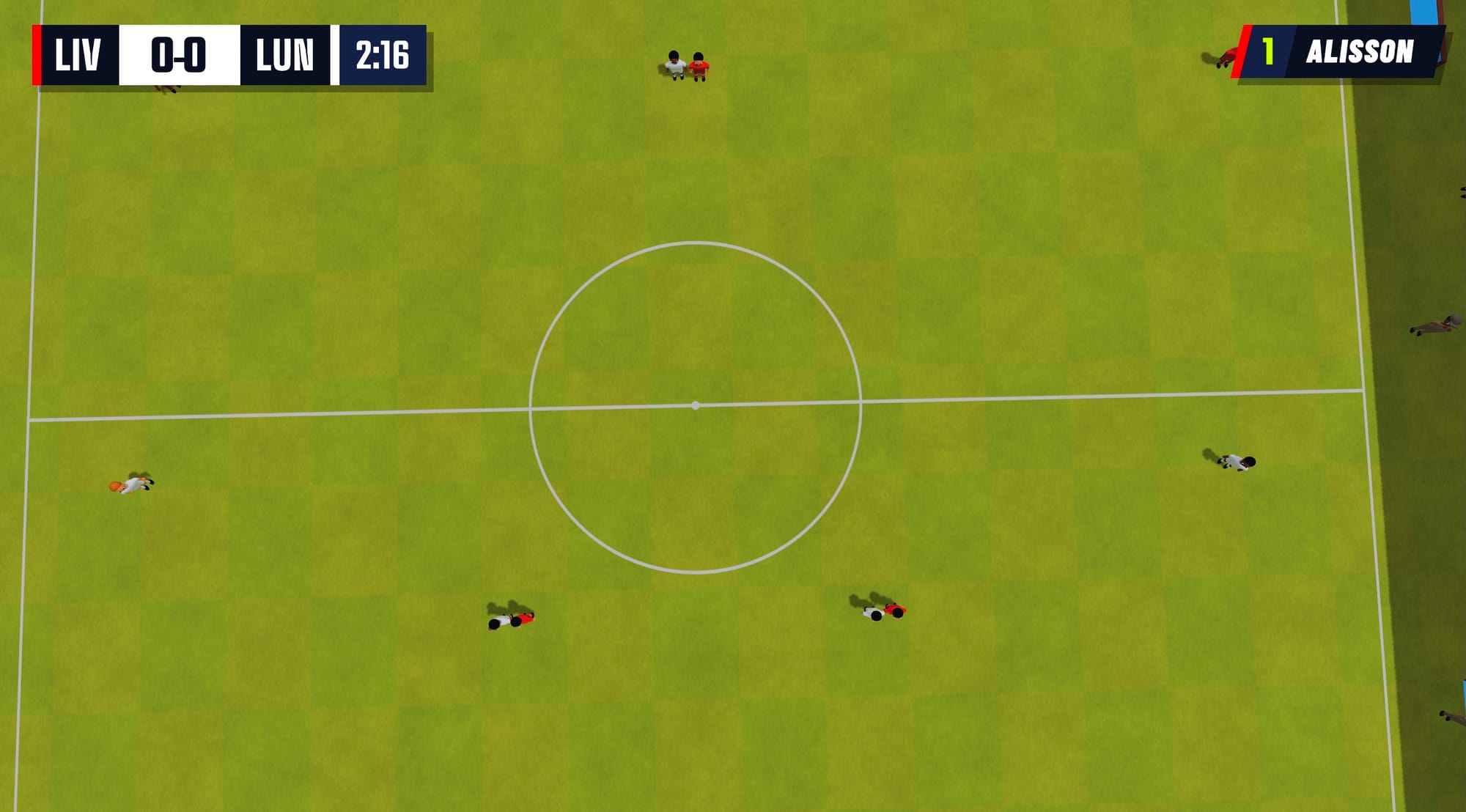
That means that to match the original look the player models are actually all on the pitch with a slight lean in different directions depending on where they are compared to the camera. They either lean to one side or back or forth to make it look right.
Here's an early view from behind the goal with the lean enabled so you can see what I mean.
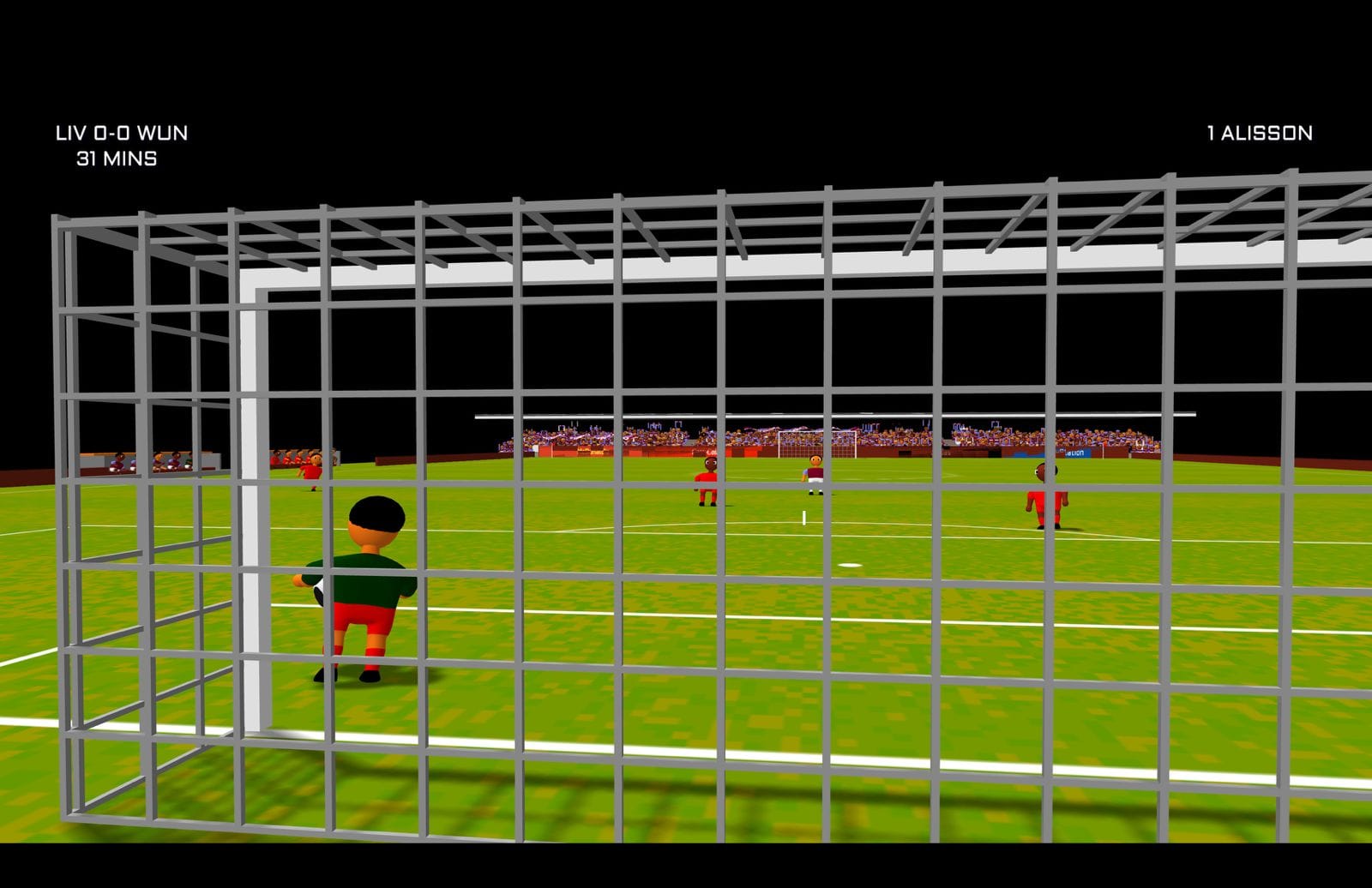
Once I got it looking correct from the top camera angle I then started working on these expanded 3D views where it automatically switches between them leaning and not leaning without you noticing as it transitions between views.
I then replaced all the original bitmap fonts with modern ones from Google Fonts, trying not to stray too far from the original look. I had Claude help me build a comparison of all the fonts I shortlisted from spending a couple of hours looking through the GF website because I just couldn't decide. It let me switch the font and which page it previewed it on because sometimes I thought it would look good on one menu screen but not another.
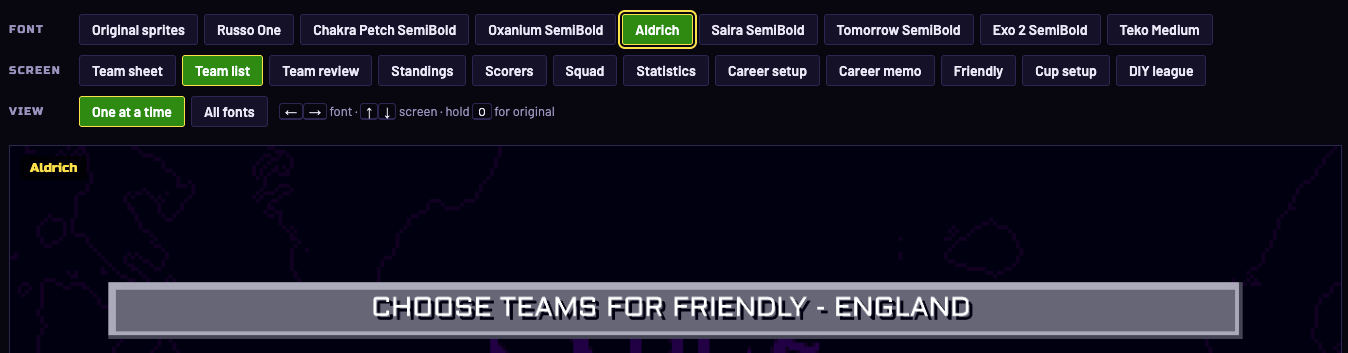
Once the font was done I created new assets for the menu backgrounds, logo, and re-organised the menu into something that I thought made more sense from a usability point of view.
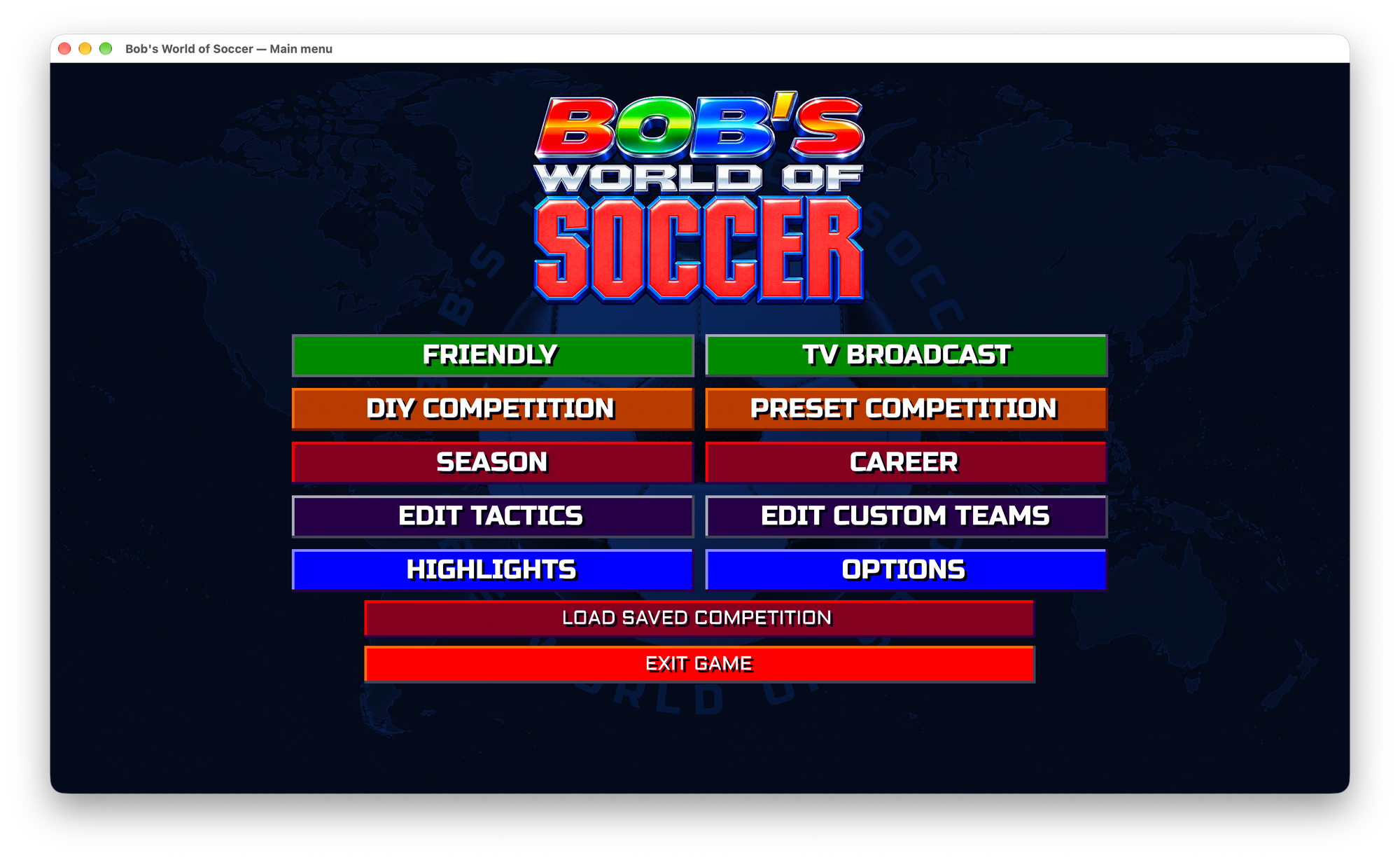
Options
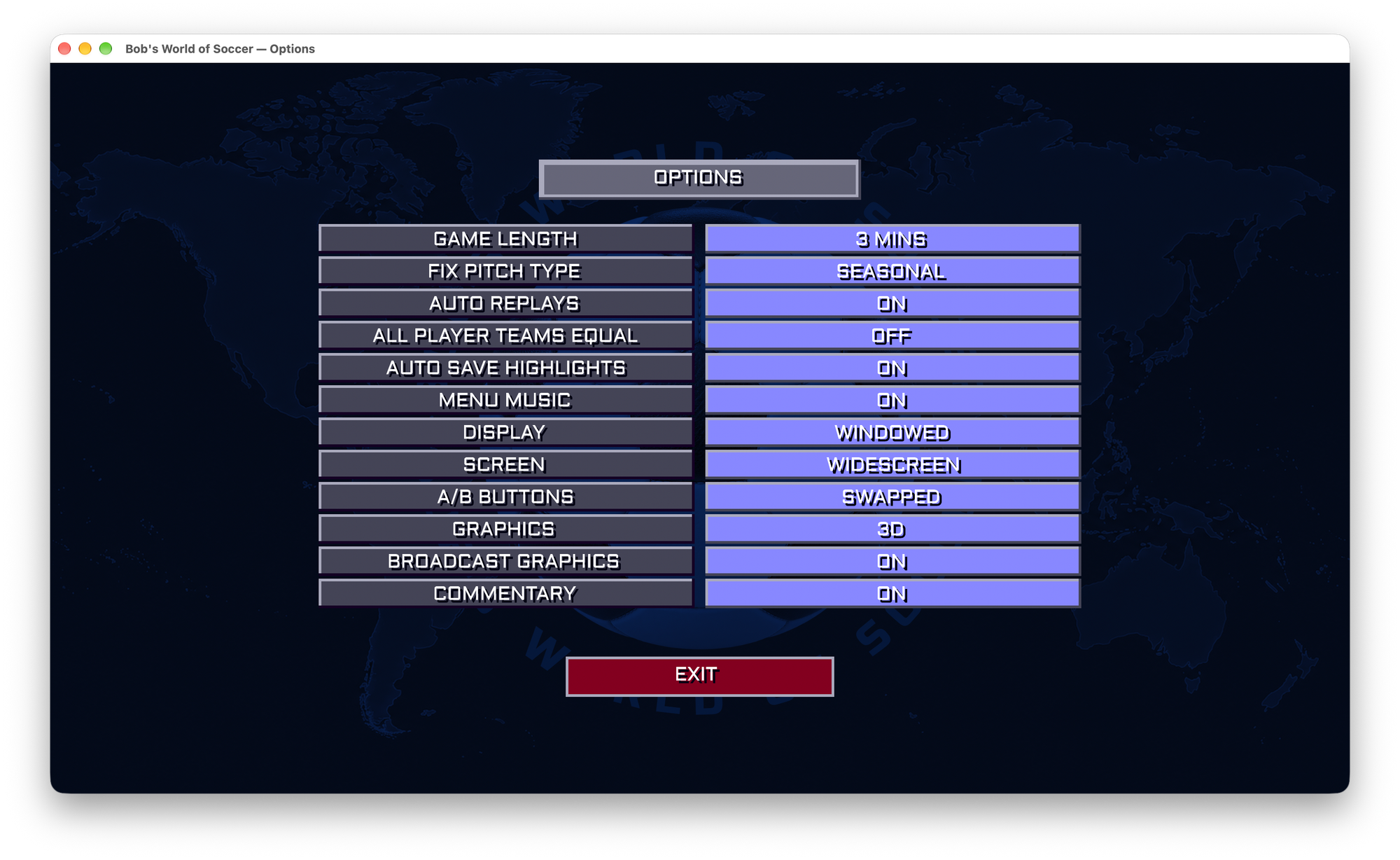
I also added a widescreen mode, because my monitor is no longer 4:3. The options screen eventually also gained A/B button swap, commentary, broadcast graphics and the choice between 3D and classic. The video at the top is all the modern options enabled.
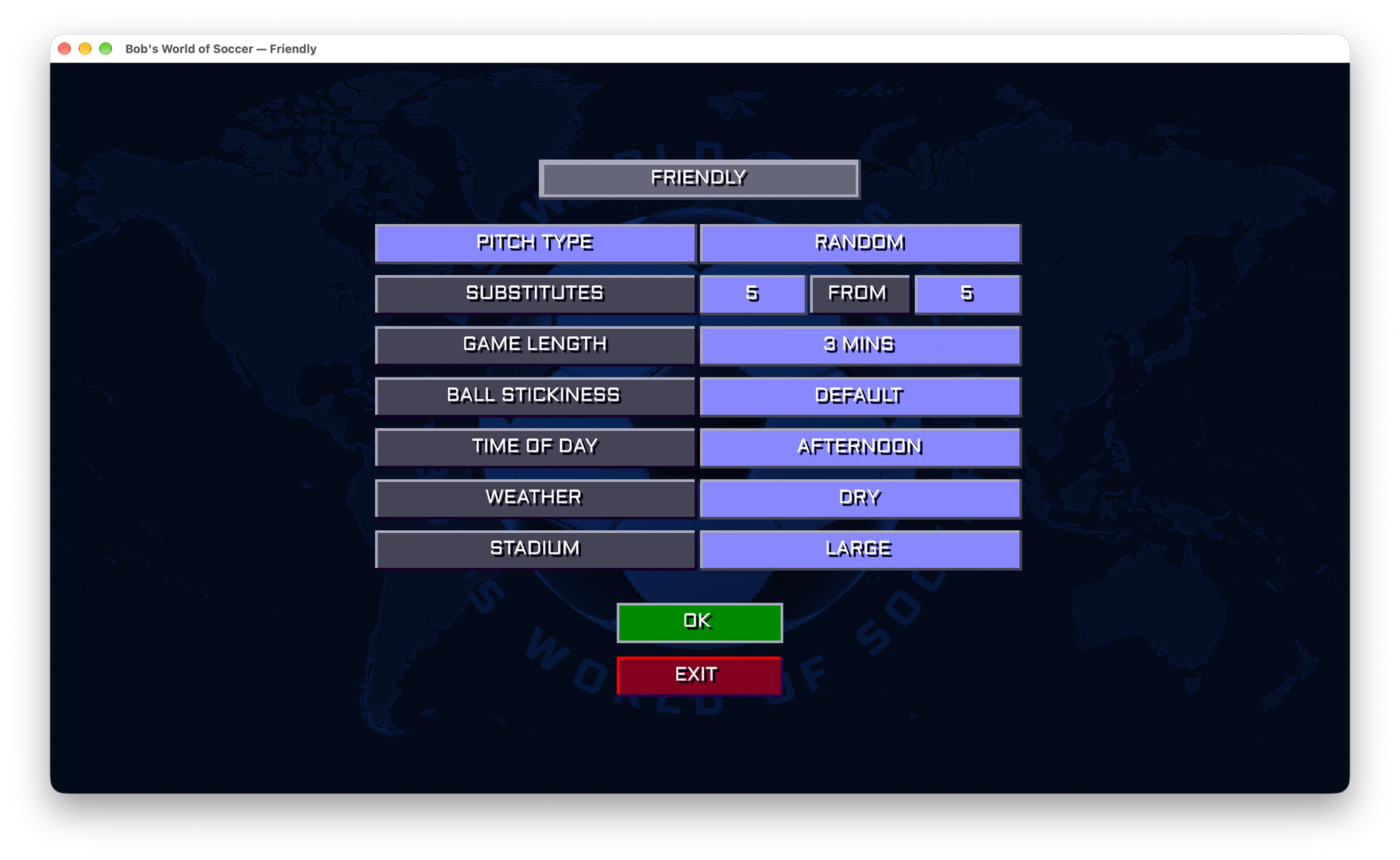
I then added the time of day, weather and stadium options. The original game has pitch types like frozen and muddy, but a step further is to obviously have it raining, stormy or to have snow with an orange ball and footprints. I also started experimenting with ball stickiness, so that beginners could have an easier time and practice.
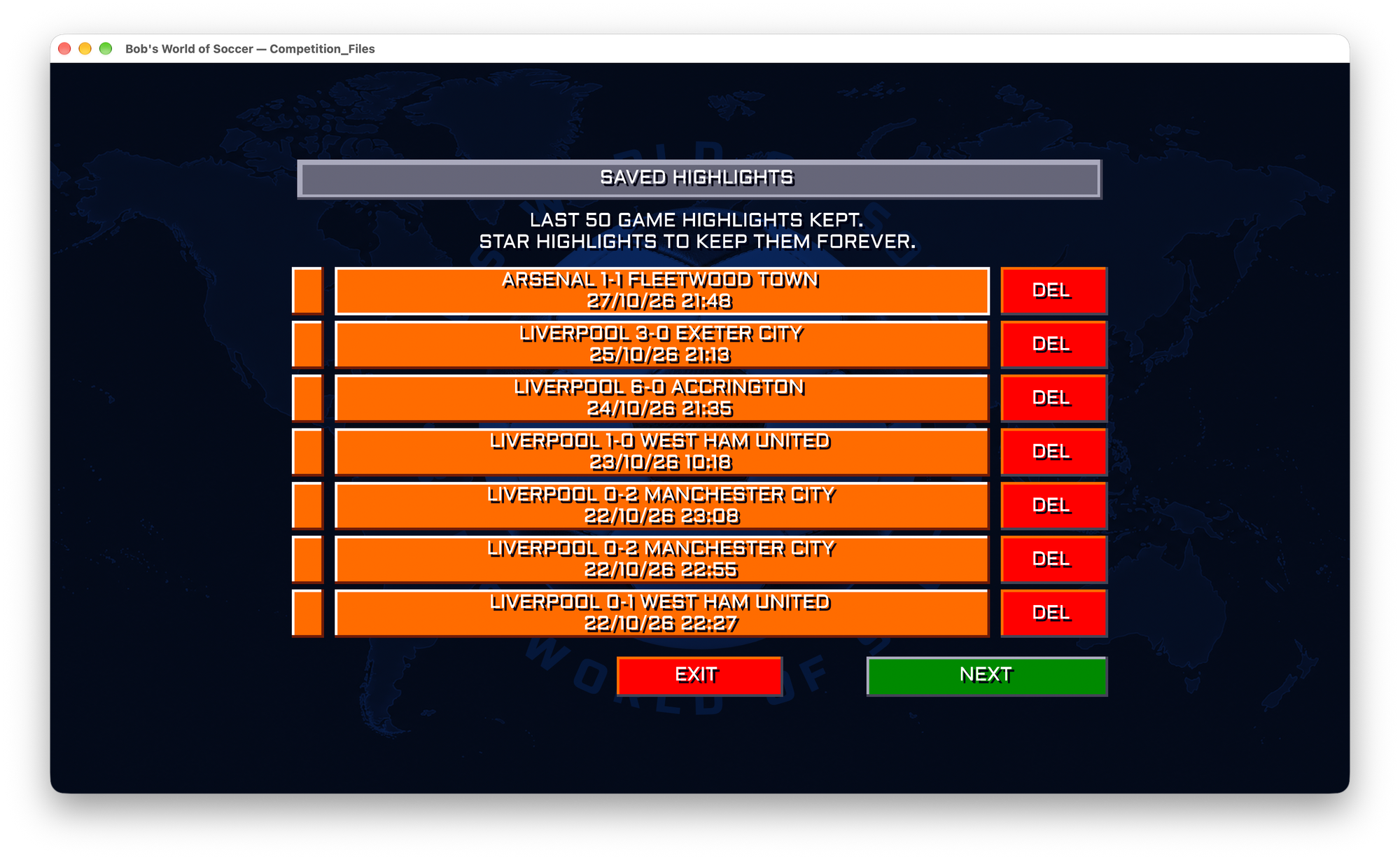
I also modernised the load/save mechanism for competitions, careers and highlights. It doesn't make sense in 2026 to name things with 8 character filenames or to have to deal with disk locations. Highlights just save automatically along with what game they came from and it just keeps the last 50 unless you mark them as star highlights you want to keep forever.
Web Interface and Competitions
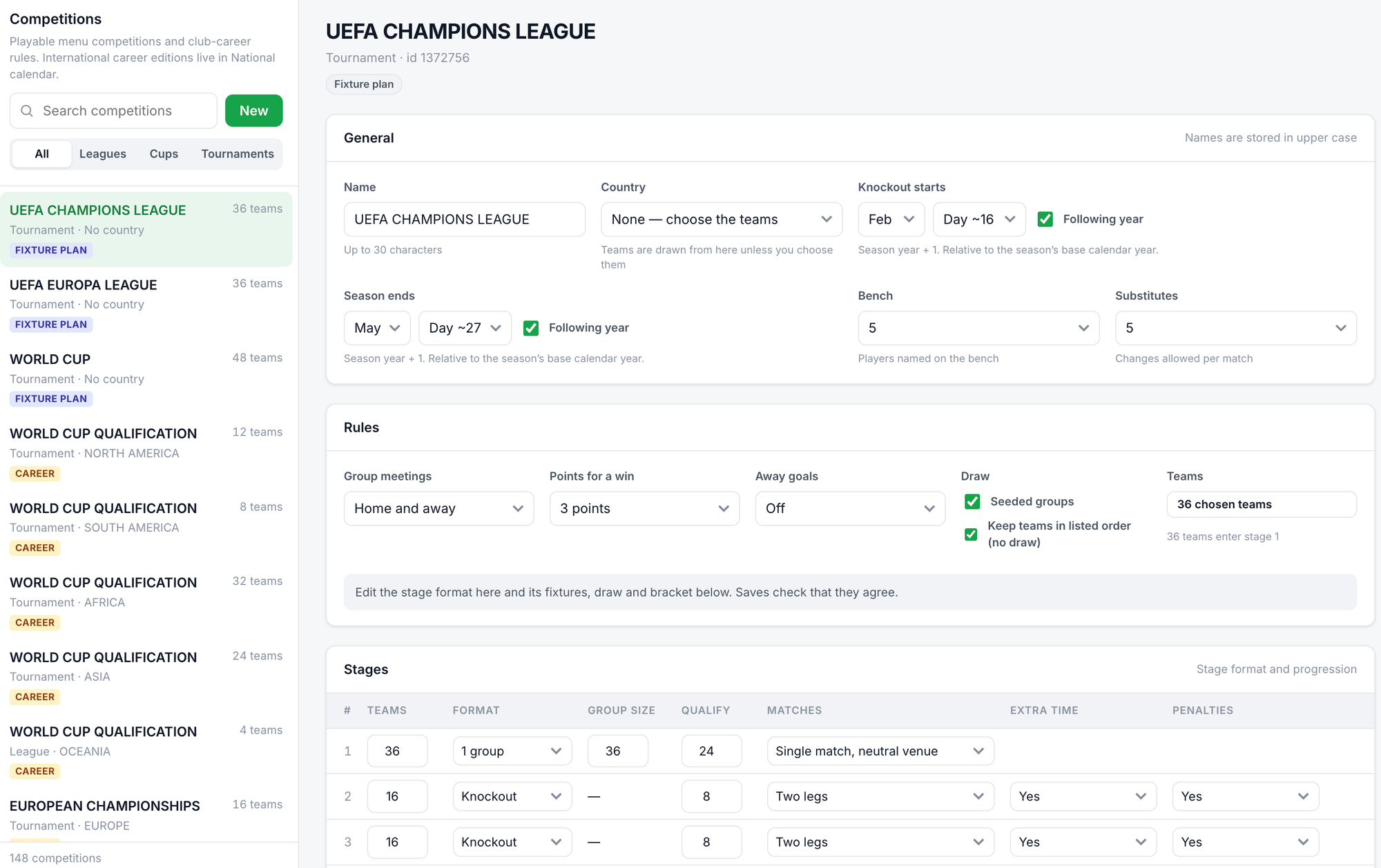
There's a web interface where you can edit all of the team data, competitions, the advertising hoardings at the top and create playlists of broadcasts like I used to create the video above.
Here's the definition of the Champions League. It supports all the latest UEFA/FIFA etc rules for all these competitions. So that means things like proper seeded groups and qualification rounds for things like the World Cup on all the different associations. Claude is good at doing that kind of research, reading the official rules published by these organisations and working out how to turn that into something that can work in the game.
Career Mode
One thing I learned was how comprehensive the original career mode was and the number of things it had to do behind the scenes to make it work. No wonder this area took so long to translate to Swift.
There was some smoke and mirrors though, especially around how the competitions and results in other countries would be calculated. Your own league would use more accurate simulation for each team based on their players and form, but that wasn't done everywhere else. I changed it so everything now runs through the one path, so the results from every league and country in your career mode should now be more accurate and consistent.
The career mode also now starts in 2026, so if you have a European team you qualify for the Champions League or Europa League, not the Cup Winners Cup. The upcoming tournaments like Euro 2028 or World Cup 2030, 2034 etc are also now in the competition data along with wherever they're due to be held so that those teams qualify automatically.
Football is far more complicated than I think I originally thought it would be.
Squad Updates
Speaking of 2026, I obviously needed to update the teams to their current squads, at least to stop my son complaining that Liverpool wasn't up to date. I know that ESPN has some JSON feeds, and wikidata has information too, so I thought I could just update the English Premier League teams. I realised very quickly that this wouldn't work because some teams would have been relegated and promoted, so I actually needed to do all the English leagues. But then the next problem is that players have been bought and sold, so players who last year didn't play in England now do and vice-versa, so in order to keep everything consistent I really needed to update the whole world.
This is where moving all the competition, team and player data to JSON really paid dividends, because I was able to get Claude to write Python update scripts to go fetch all that data from different sources which should hopefully make it easier to update in the future.
TV Broadcasts
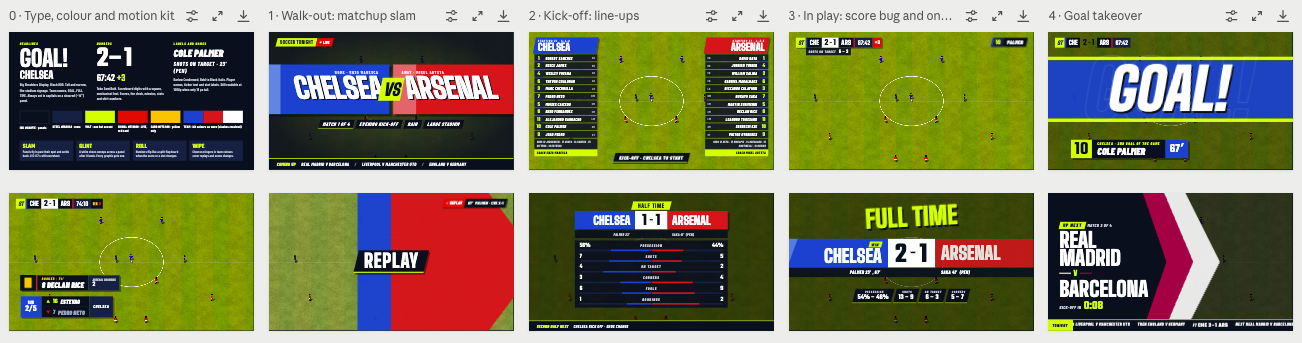
I now had 2026 teams, a fully working career, and a 3D renderer for matches. But it was still using the original match overlays with just a few tweaks I'd made to the score bug. So it was time to go further and again, use Claude design mode to come up with something that felt modern and TV broadcast worthy.
Here's a screenshot of when I reached a design style I was happy with, again, after many hours of iteration.
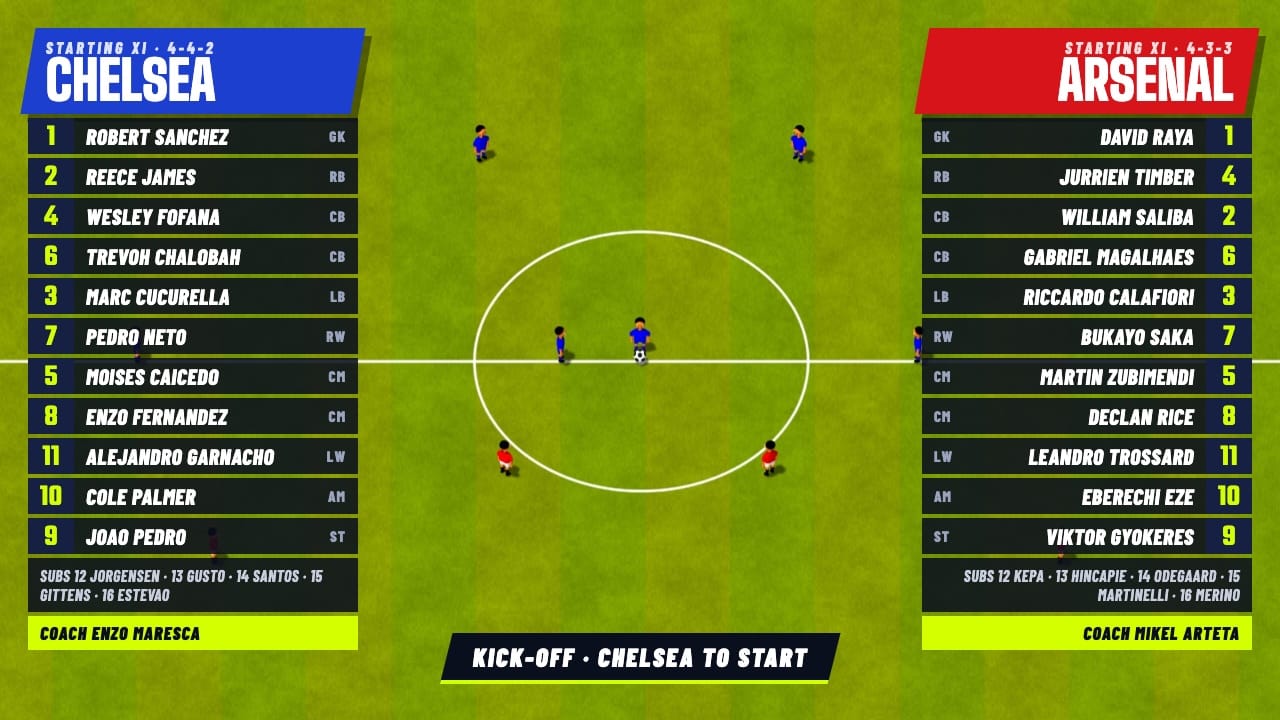
Here's a zoomed in view of the team lists before a game with broadcast graphics enabled.
The final step was to really lean into the 3D before and after the game, adding the walk-on, line-up, hand-shakes, mascots, coin flip and post-game celebrations. All of that is in the video at the top.
Sound and Commentary
This was one of the hardest areas to get right. I was able to programatically create a lot of the sounds - ball kicks, headers, rebounds from the post or bar, they're all mostly just modulated sounds so having Claude write some code that could generate a bunch of variations of those until I could pick one that sounded good was fine.
But attempts to create crowd noise never worked. It always sounded like static, not actual chants. I spent a couple of days on lots of different versions before giving up and moving to online sources of royalty free audio. But even then trying to find something that worked was really difficult. A lot of crowd audio is just taken from the wrong place as it's people recording things from where they're standing, so you get a lot of very far away crowd noise mixed in with very close talking and singing. For a game like this what you really want is audio recorded from the centre circle, as it's about atmosphere more than specific fidelity.
You also need lots of different types of crowd noise. I needed boos, ahhs, ooohs, chanting, and a general crowd audio bed that could play when none of those were happening without sounding repetitive. So even when I did find crowd recordings that were good, they obviously wouldn't cover all the versions I needed. So then it's a hunt to find multiple people who went to multiple football games and all recorded audio from similar locations in the stadium so that they all feel the same. In the end this was just a lot of searching, a lot of testing, a lot of downloading, and ultimately a lot of editing and mixing different sounds together to make it work. In the end I'm proud of what I managed to put together.
Commentary required getting the game to output a stream of different events that different phrases could then be connected to. Some of this the game produced already, but I extensively extended this to everything from players running on, to balls being intercepted by the defense, to the difference between long range and short range attempts at goal. When I then added the TV Broadcast mode this extended further into introducing the game and talking about who was playing, all based on the squad stats. Even half-time and full-time comments are based on the actual statistics of which team had the most chances, not just who scored the most.
The commentary director takes all that data and then decides what phrases are going to be said, based on a giant JSON document of lines for both the main and colour commentator. Each line is attached to a game event and there are multiple possible lines for each situation, helping to make it a bit more random and less repetitive. A Python script converts every one of the lines into an audio file which the game then loads, named after an MD5 hash of the speech settings. That means I can add more variations and run the script again and only the changed data gets generated.
Initially I used the Mac's say command to generate all the lines as that helped with working out the correct timing and how it would feel, even if it all obviously sounded quite robotic. I did initially generate some team and player names, but getting that to sound natural proved to be harder than I'd hoped, and spitting out 27,000 audio files for all the players is probably a bit much anyway. I might revisit this again later.
First I tried OpenAI's TTS, then a local Kokoro model, and then finally settled on ElevenLabs. Google have a good TTS, but their rate limits are really terrible unless you pay them $100 which I didn't fancy doing.
I would generate a full set of speech with each one to see how it sounded, listening to lots of different phrases and changing the text to see how it would handle it. I always knew ElevenLabs would have the best output but thought they would be too expensive, but it turns out their flash model isn't as expensive as I'd thought. In the end the problem with ElevenLabs was the huge number of voice options they gave me, so I probably spent another 3 days trying out different combinations before I used their voice designer to create what is now in the game. Even with that I would spend hours comparing the variations they gave me. Choice is not always good!
Music
Richard Joseph was of course the musical genius behind so many of these classic computer games, but with the aim of replacing all the assets I couldn't keep his music. I could however use Suno to create something new while still taking inspiration from what he did.
There are two versions, a South America copa version:
And a more US American Football style version:
Small Tweaks
I did various other smaller tweaks to fix long-standing limitations or just improve the game without changing how it felt.
- CPU teams now make substitutions, based on what's happening in the game. They might bring on more defence to hold on to a lead for example. They'll also substitute injured players.
- CPU teams can now be booked. This was a surprise to me, but I couldn't see that they could ever get yellow or red cards in the original. Now they can.
- Substitutes now run on/off and properly swap with the player on the bench. I improved a bit of the UI around swapping players and tactics mid-game because it was unclear what things did unless you had the original manual.
- I also improved the tactics and squad lists in the game. There's lots of icons, especially in career mode, which aren't obvious. Player injuries, how long they're out for, mirrored tactics. I added additional explanation and even a ? help panel that you can select to see what everything does.
- Goalkeepers can now tip the ball over the bar instead of always catching high balls.
Conclusion
So what's the point in all of this? What can I actually do with it?
Probably nothing. Even if I removed the classic graphics and shipped absolutely nothing of the original game, the copyright situation is still murky. I'd probably be sued by EA (who as far as I know, own SWOS now having bought Codemasters who bought Sensible) for "passing off" since all my menus are clearly following the original design even if they don't use any of the fonts/graphics throughout (yes, I even replaced the stars, icons and pitches on the squad pages).
Even if EA didn't come after me then all the teams and leagues could. Even without using any Liverpool branding, logos or designs, it seems like putting their team name next to a list of people is enough these days to get you in trouble. I'm not sure how that was OK in the 1990s.
EA could certainly take my code and release an iOS/iPad version. That's never existed before. Call me.
I could put it on GitHub, but would anybody care? OpenSWOS seems to have been doing a similar thing to me over the past few months regarding porting the original into another language, you can even play it in your browser.
I imagine their motivation is much like mine, this is just a bit of fun. I've gone from watching TV and scrolling through crap on my phone to watching TV and remaking 1990s computer games. If I was building Lego then there would be no good answer to "what I can actually do with it" either. The fun comes from the build, not what you do with it later.
Some people are probably going to say that cutting down a forest and draining a river for all the AI compute I used to do it is probably a waste of human resources. They're probably right. But almost everything is a waste of human resources and it's not my job to regulate these companies to make them do better (see how quickly things gets more efficient when you limit how much water they can use).
If you have any good ideas for what I can do with it next then you can let me know, otherwise this is probably the end of the journey. I need to think of something else to spend my nights on.
Chaos Engine level editor anyone?