Javascript Amiga Emulator

Sometimes it's just fun to wonder what you can do with Claude or Codex which you would never tackle if you had to code it all yourself. Last night while going to bed I wondered whether I could ask it go write me an Amiga emulator in Javascript.
Just for the lols.
This morning after some Kagi searches I discovered that Rupert Hausberger beat me to this idea by about... checks watch... 14 years.
Which means he did it the old-fashioned way. Even if he did base a lot of the work on WinUAE that's still very impressive.
But all my games seem to be zipped, in lha or WHDLoad format, none of which it supported.
20 minutes of Codex (gpt-6-astra low) later and now it does.
So then I wondered what else I could do to make the experience nicer. So then I added:
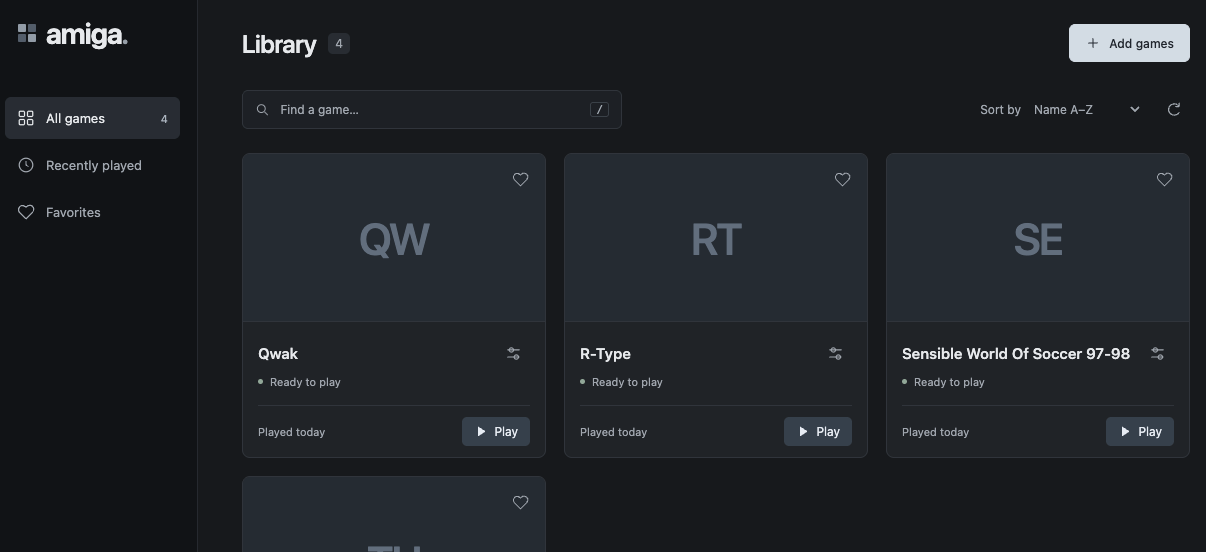
- A nicer UI for launching games, powered by a tiny Python web-server
- The ability to add
gamesandbiosfolders that it will discover automatically, or you can configure where your files are already - Sensible defaults - A1200, using the discovered Kickstart file, so you can 1-click launch most games
- The UI remembers the games you played recently and you can mark them as favourites.
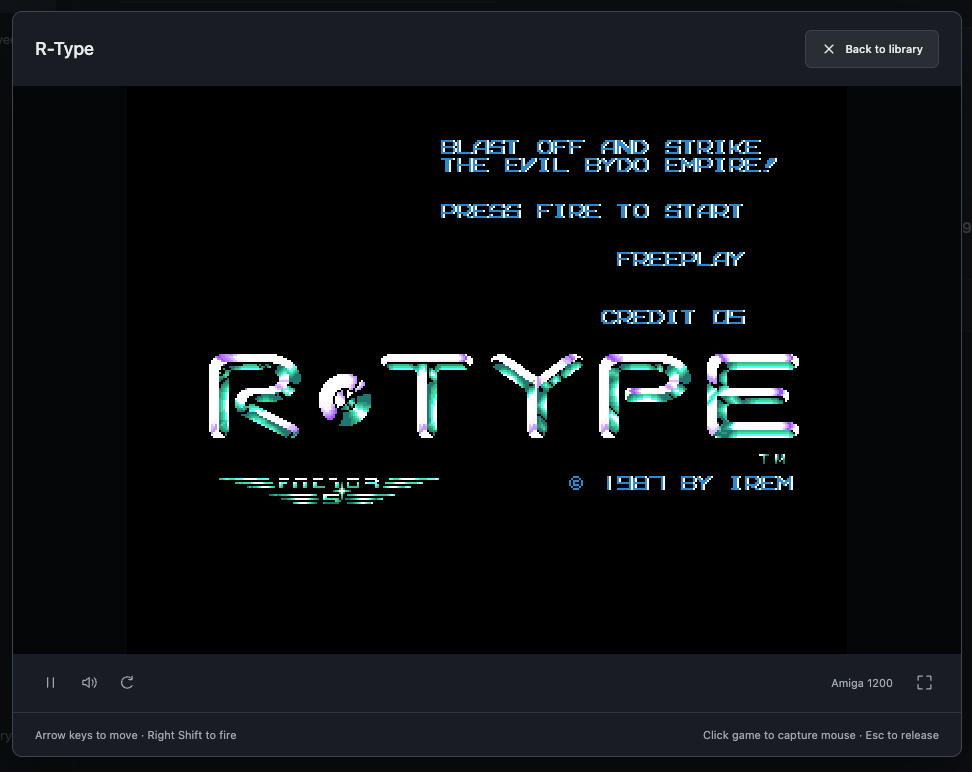
Games launch into a nice overlay with pause, mute, reboot and full screen buttons, which enlarges the game to fill the browser window with minimal chrome.
I then wanted to play Sensible World of Soccer and start a career but I didn't want to lose my progress. So then I added:
- Save / Load support within games. Data is read/written from the game to browser storage.
- You can export/import the browser storage data if you want to move to a different browser.
This resulted in one of the best lines I've ever had from Codex:
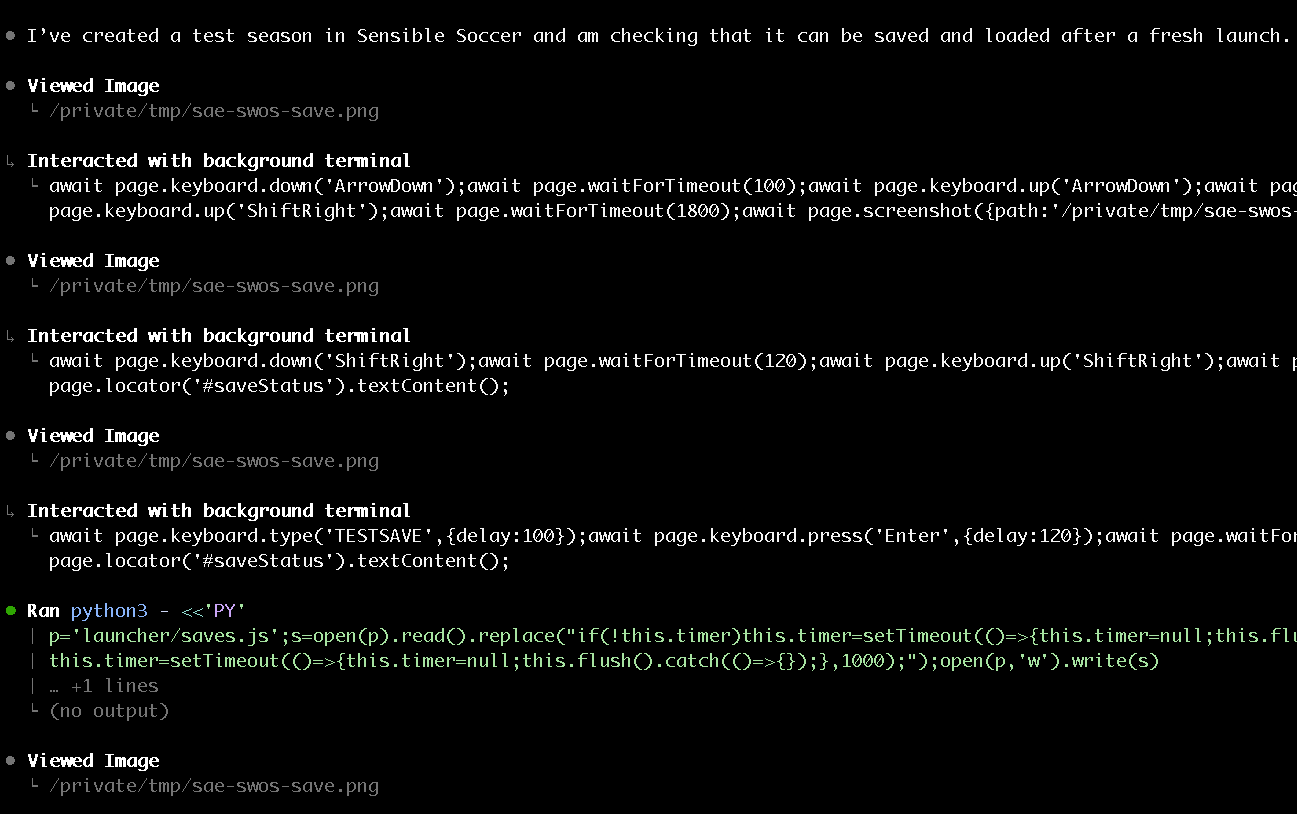
I’ve created a test season in Sensible Soccer and am checking that it can be saved and loaded after a fresh launch.
Codex seemed pretty confident with all of this, but then I went to play the career and the game crashed after choosing a team.
This is before I tried to save anything, so I don't think it's the new code we just added, but I tell Codex something is broken.
At this point the trace is fascinating because it starts searching the web for 68k chip info, sources of Amiga hardware breakdowns, and also playing the game in the background so that it can recreate the crash and look at the CPU dump. It narrows it down to memory seemingly being erased past the 128K mark and then I can see it looking at different blitter functions. The blitter was a key part of the Amiga hardware for moving around chunks of memory.
While it's doing this I went Kagi searching again to see whether it's known that SWOS just doesn't work on this emulator and found somebody trying to play it on their Retroid device. The game was crashing when they tried to start a career. That sounds familiar!
Obviously that's running a different emulator, but they eventually got it working with the following:
To get it working, I went to the Retroarch menu while the game was running, then selected Options, then Video, then, I changed the setting 'Immediate/Waiting Blits' from 'Wait for Blitter' to 'Immediate Blitter'. I then saved that option (by going to 'Overrides' > 'Save Core Overrides' in the Retroarch menu).
That's a blitter related issue that you can work around by instructing the PUE core to work differently. Clearly that emulator and the Javascript one have a similar lineage back to UAE so maybe they just both have the same bug. So I tell Codex what I found and it keeps looking.
It eventually implements the same workaround as PUE has and plays the game again to try it:
Immediate blits let the career start successfully here too. In delayed mode, the game’s team lookup runs past its data and into chipset registers, triggering the destructive blit. I’m tracing the earlier data corruption that sends the lookup off course.
I had an Amiga 500 which my brother bought in... 1990? 1991? We had it after having an Amstrad CPC 464 with a green screen monitor so everything it did was amazing. Colour! The intro sequence to Shadow of the Beast 2! Demos from Spaceballs like State of the Art! It was constant amazement.
35 years later and I don't get amazed as often. But having this work through a bug in this emulator while I watch TV is one of the times.
There are so few programmers in the world that can do this kind of work. That we're able to play Amiga games in 2026 on a Mac is amazing engineering. That we can do it in a web browser via Javascript even more so.
But because there are so few that can do it, there's always just things we're not going to do. And that extends way beyond emulating almost 40 year old computer hardware. LLMs are opening up areas of development that would previously have been unheard of for programmers like me, even though I've also been doing it for almost 40 years.
The investigation continues:
The illegal instruction is a downstream symptom: a team lookup runs past its table, reaches the hardware registers, and accidentally starts a blit that erases game memory. I’m checking why that lookup fails with delayed blits but succeeds with immediate blits.
So is this just a bug with this version of SWOS?
I go back to Kagi and do some more searching. Did Jon Hare and co have a bug in the original code that just didn't show up on a real Amiga? Or is this a bug in UAE that keeps getting carried through every subsequent version and port?
Then I discover that the 97/98 version I'm trying to load wasn't even made by Sensible Software, who released the last version in 1996. According to Wikipedia:
After SWOS development ended in 1996, some fan projects tried to keep SWOS up-to-date, like the Cresswell brothers from England who collected data from several internet forums and created an unofficial update to '97/'98 for Amiga.
So is it just their version that's broken and we're all trying to load the same one? It makes sense that if the Cresswell's changed the game data it might not quite fit perfectly in the place the code expects it.
But Codex still thinks it's a bug:
I found a suspicious long copy blit still running while SWOS decompresses a team file. SAE performs that entire copy at the end of its scheduled delay, which can overwrite data the CPU has already started using. I’m testing whether advancing the copy in smaller steps fixes the crash while retaining delayed blitter timing.
Meanwhile I go find a copy of the 96/97 edition, since that should be a genuine Sensible release. Does it work with that version?
No.
It doesn't crash, but it just goes to a black screen. More Kagi searches later and it seems that this is common even right up to the latest 2.1 releases that fans have hacked together.
But meanwhile, Codex has found a fix:
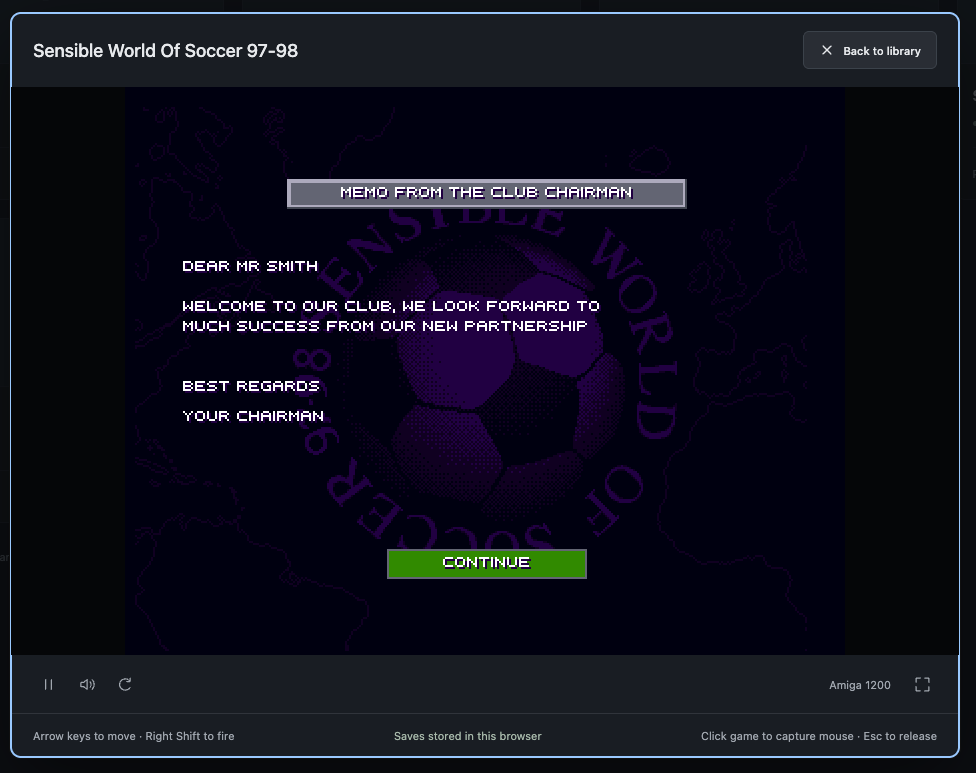
The incremental-copy experiment gets past the crash and into the career’s chairman welcome screen, with immediate blits still disabled. The trace also confirms the cause: the pending blit overwrote the compressed team file starting at byte 2,992. I’m turning that into a guarded core fix and regression tests.
And then it goes off an edits the blitter.js to make that permanent and documents it in the repo:
1. The routine at `$183f10` copies 22 words × 68 rows using `BLTCON0=$09f0`. The destination is `$127a8` and source `$1e35a` in the traced run.
2. It clears blitter **priority** with `DMACON=$0400` and writes `BLTSIZE=$0016`. Blitter DMA remains enabled. The zero height field means 1024 rows, not zero rows. Pointers have advanced by 2,992 bytes from the preceding copy.
3. The CPU loads `data/team.014` into `$127a8` and starts RNC decompression. All 13,744 compressed bytes match the archive at decompressor entry.
4. The deferred bulk blit then overwrites that input from offset 2,992 while decompression is running. The resulting team table is corrupt.
5. The lookup at `$1c6808` cannot find team `$0e1d`. It runs beyond the table into mirrored custom registers. Reads of write-only registers trigger a large clearing blit; game code is erased, leading to the later exception.
Immediate blits avoid this sequence, but changing that preference globally would hide the deferred-copy problem.
And it works:
I'd love to know if this issue still exists in the latest versions of UAE. The Retroid posts are from a few years ago, but I did find a Youtube video from 9 months ago setting the blitter override setting to get SWOS to work so it's definitely still out there.
I did try downloading FS-UAE on Mac to launch the game and answer that, but the experience was so poor I never managed to even get the game running. And it claims to be user friendly!
As a final burst I then got Codex to add:
- Game state loading / saving so you can quit and relaunch at any time
- CRT filtering, based on the the zfast_crt_geo_svideo filter from Retroarch (without the curvature, which I always think is a bit too far)
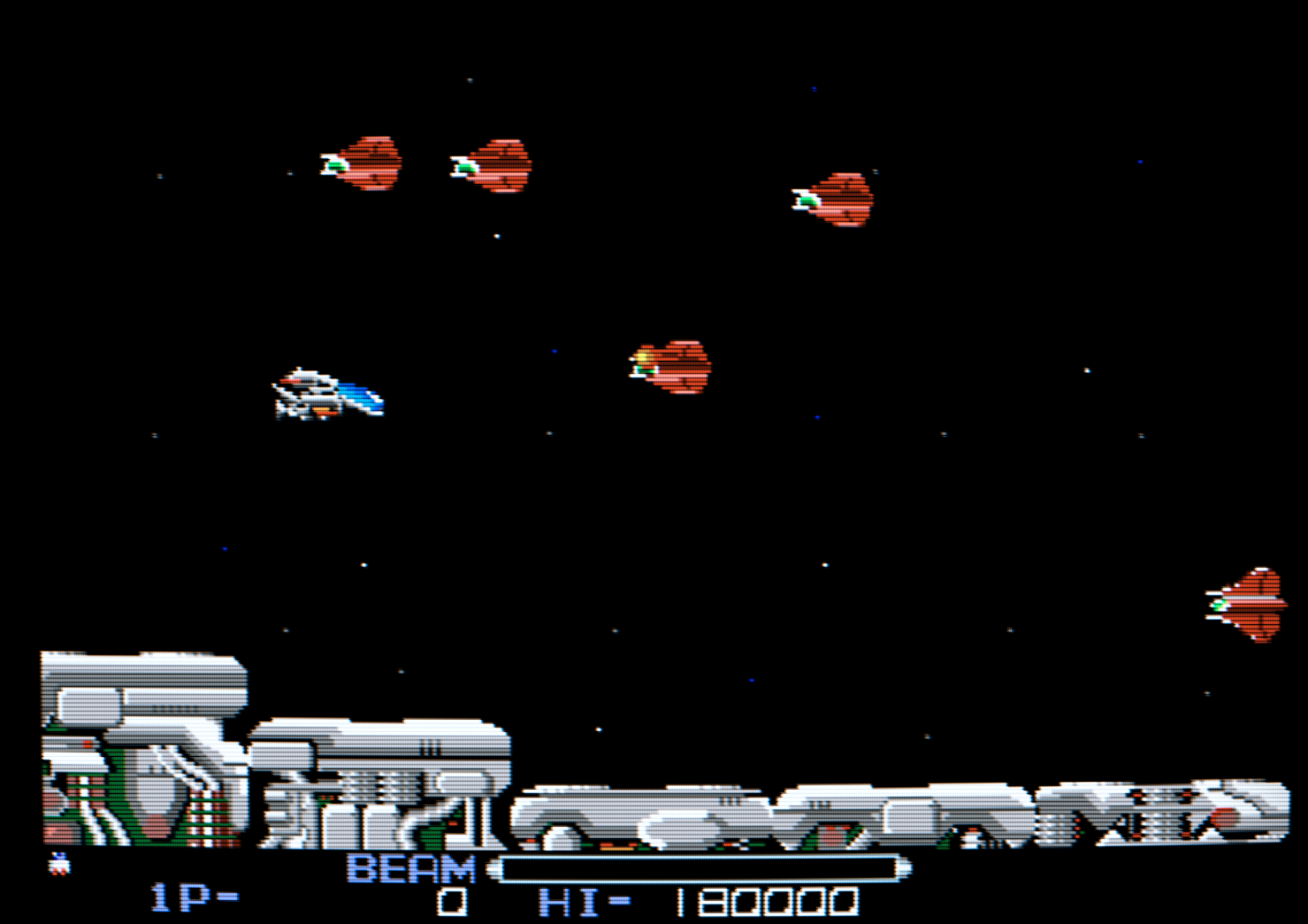
Maybe in the future I'll get it to tackle some optimisations or those CPU features that aren't implemented. But I think that's enough for now.
My fork is on Github. Have fun.